
Checkout: Wallet Selection & Rate Lock
Select the buyer's mobile wallet app and review the transparent fee ledger under Hashpay's 60-second rate-lock guarantee.
Selecting the customer's wallet application
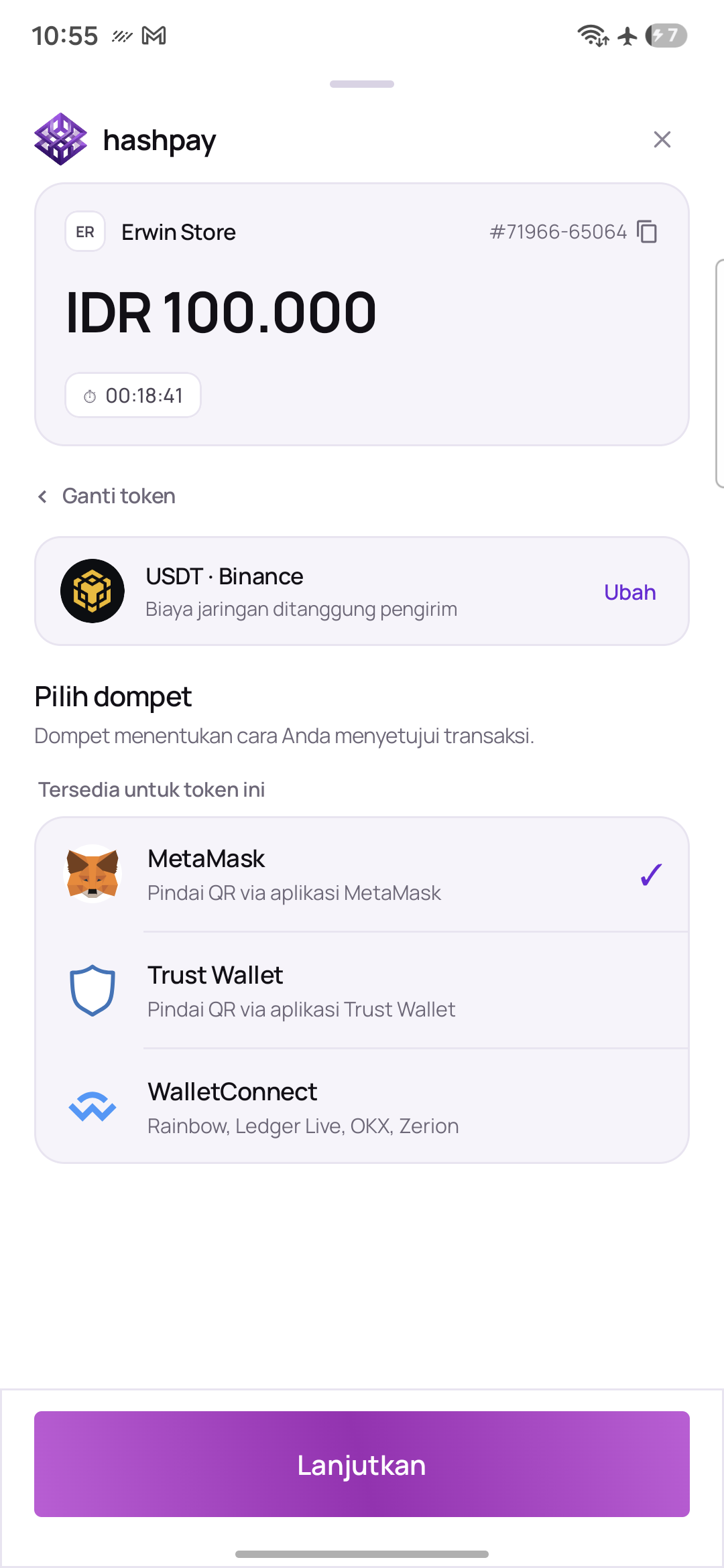
After picking the token and blockchain network, the cashier selects the customer's mobile wallet app:
- MetaMask — Selected by default (purple checkmark). Ideal for customers using MetaMask mobile app or browser extensions.
- Trust Wallet — Popular multi-chain mobile wallet widely used for BSC and Tron stablecoins.
- Phantom — Highly popular wallet for Solana payments.
- WalletConnect — Universal open protocol connecting to over 300+ crypto wallets (OKX, Rainbow, Ledger, Coinbase Wallet, Zerion, Bitget, etc.).
Bill ledger breakdown & rate lock guarantee
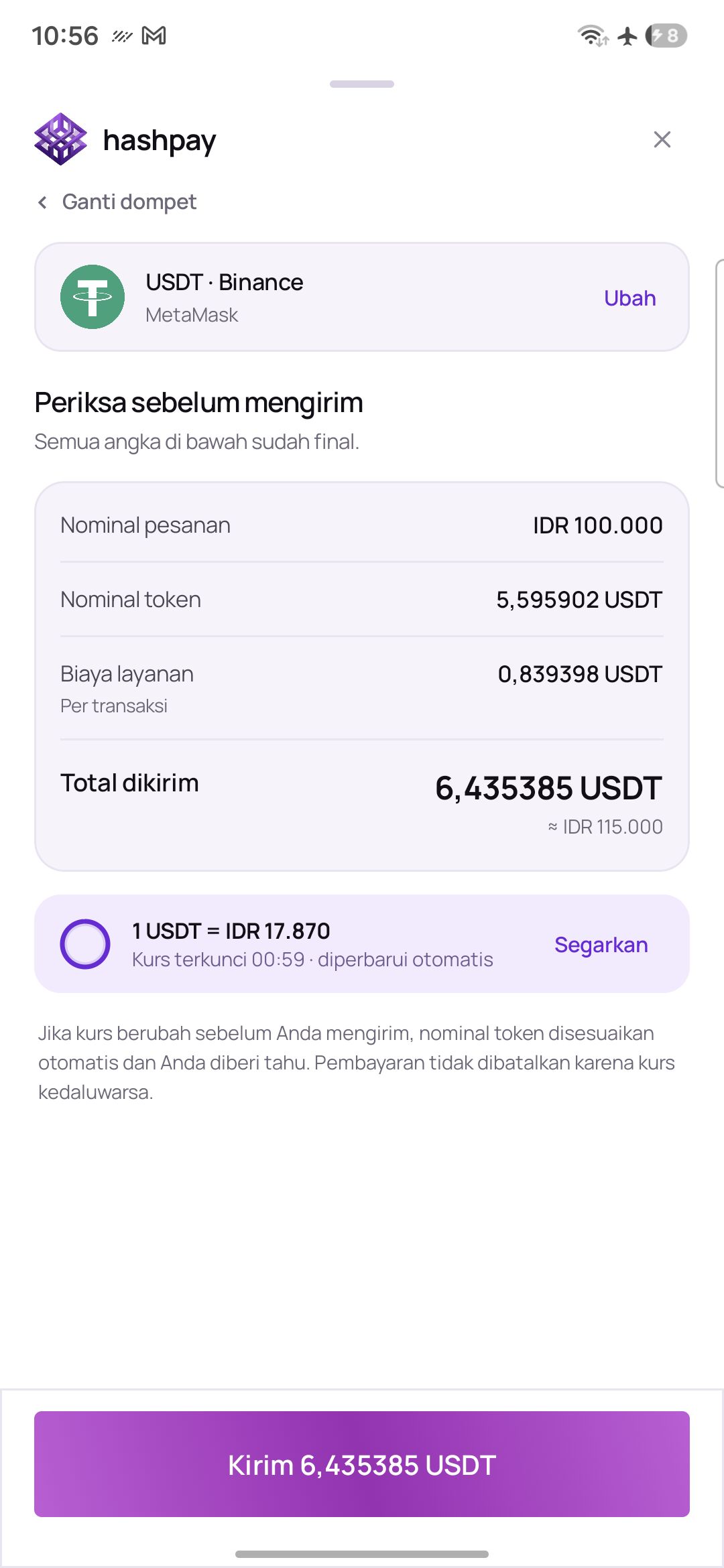
Tapping Lanjutkan (Continue) opens the transaction confirmation ledger screen. Cashiers can review the numbers with the customer before displaying the QR code:
- Order Principal Amount — The store bill in Rupiah (e.g.
IDR 100.000). - Base Token Amount — The pure crypto conversion (e.g.
5.595902 USDT). - Service Fee — Any processing fee allocated according to store policy.
- Total to Send — The final net crypto sum required from the buyer (e.g.
6.435385 USDT). - 60-Second Circular Rate Lock Ticker — An animated countdown circular ticker locking the exchange rate (e.g.
1 USDT = IDR 17.870). If the 60 seconds expire, the rate smoothly recalculates without cancelling the order.
Proceeding to payment or returning
Tap the sticky bottom button 'Kirim ... USDT' (e.g. *'Kirim 6.435385 USDT'*) to generate the live payment QR code. If the customer wants to change their wallet or network, tap Kembali to return to the selection step.