
Profile, Preferences & Shift Handover
Inspect cashier station telemetry, customize language and base currency preferences, and log out cleanly to conclude your work shift.
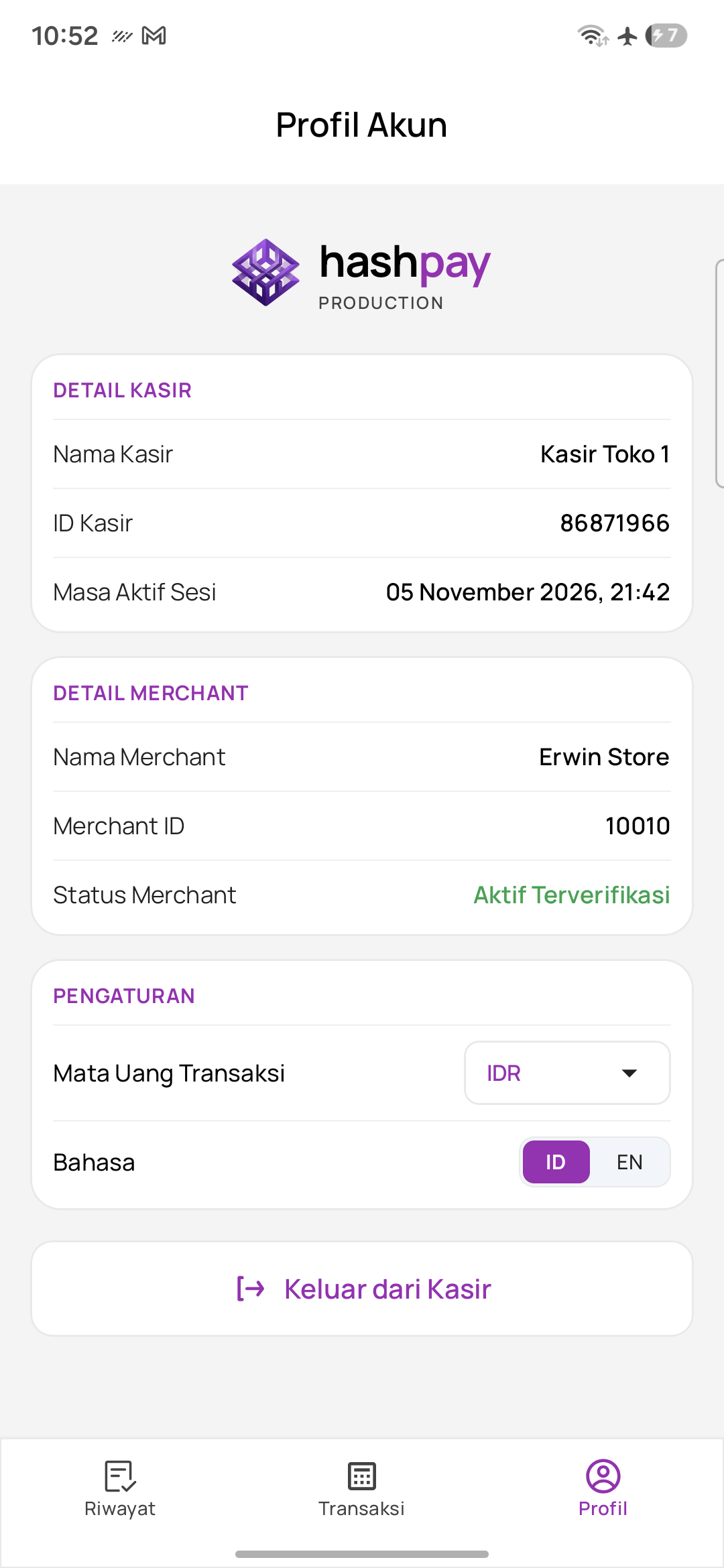
Cashier station telemetry cards
The Profile (Profil) screen displays vital station telemetry organized into clear operational cards:
- Card 1: Detail Kasir (Cashier Details) — Displays your assigned station name (e.g. *Kasir Toko 1*), the unique terminal Cashier ID, and the exact Session Expiry timestamp (
expiredAt, e.g. *24 October 2026, 17:00*). - Card 2: Detail Merchant (Merchant Details) — Shows the commercial business name, registered Merchant ID, and merchant compliance status (*Active / Verified* in green).
Terminal preferences
| Preference Setting | Available Options | Operational Impact |
|---|---|---|
| Transaction Currency (Mata Uang Transaksi) | IDR (Rupiah 🇮🇩) or USD (Dollar 🇺🇸) | Sets the base currency for keypad inputs and receipt currency symbols. |
| Language (Bahasa) | ID (Bahasa Indonesia) or EN (English) | Instantly toggles the entire POS user interface between Indonesian and English. |
Standard Operating Procedure (SOP) for closing shift
When your roster shift ends, follow these steps for a clean handover to the incoming cashier:
- Audit Shift History — Open the History tab and verify that all customer payments for your shift are settled (*Berhasil*).
- Open Profile — Tap the Profile icon in the bottom navigation bar.
- Tap 'Keluar dari Kasir' — Tap the red button at the bottom of the screen to unbind the session and log out.
- Handover to Incoming Staff — The terminal returns to the login screen, ready for the next shift staff to scan their pairing code.