
Transaction History & Receipt Reprinting
Track all store transactions processed at your cashier terminal, inspect blockchain metrics, filter by payment status, and reprint customer thermal receipts anytime.
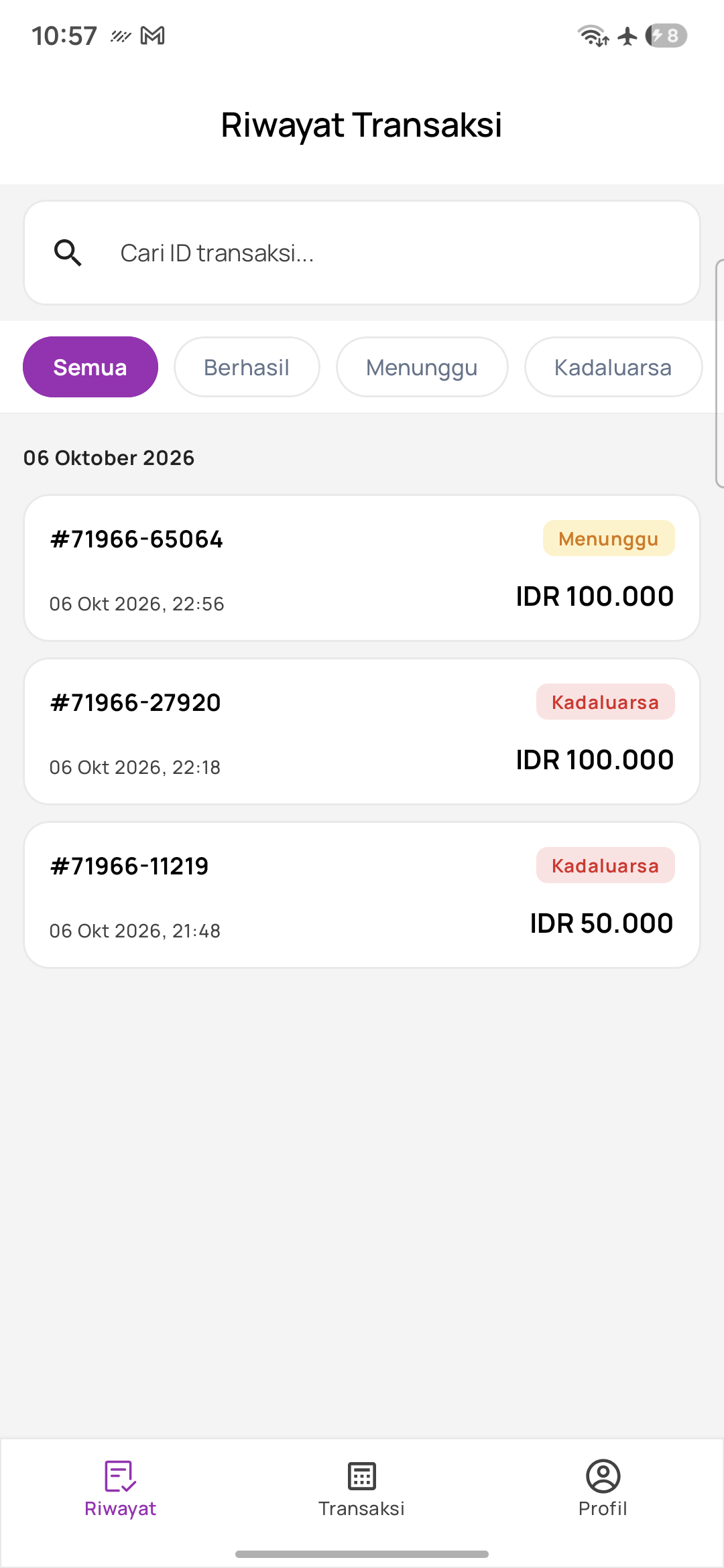
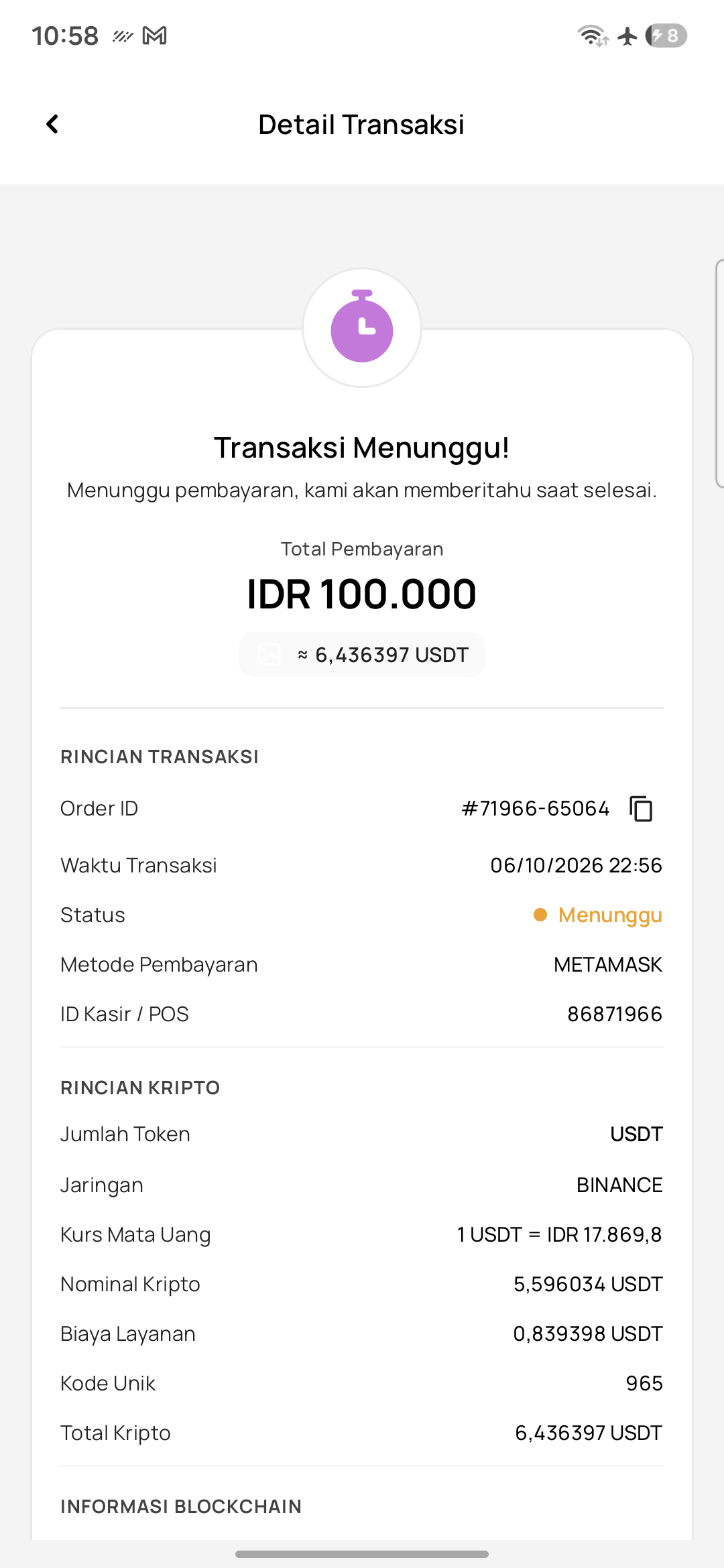
Browsing and filtering transactions
The History (Riwayat) tab provides cashiers with a complete audit trail of every charge generated on this terminal:
- Quick Search by Order ID — Type an Order ID (e.g.
71966) to locate a customer's payment in seconds. - Filter Status Tabs — Switch between All (Semua), Success (Berhasil - Green), Waiting (Menunggu - Yellow), and Expired (Kadaluarsa - Red).
- Transaction Card Info — Each row displays the transaction date and time, the bill amount in Rupiah, the crypto token amount, and the status badge.
Transaction detail inspection
Tapping any row in the list opens the comprehensive transaction detail view:
- Status Header — Real-time state of the order (*'Transaksi Berhasil'* or *'Transaksi Menunggu'*).
- Financial Summary — Complete breakdown of the Rupiah bill, crypto amount, and exchange rate applied.
- Blockchain Metrics — Blockchain network name (e.g.
BINANCE), customer deposit address, and external block explorer link (TxHash) for cryptographic proof. - Terminal Metadata — Unique Order ID and the active Cashier ID responsible for the transaction.
Reprinting thermal receipts (Cetak Ulang Struk)
Cashiers frequently need to provide duplicate receipts. Hashpay POS makes reprinting effortless:
- Locate the Order — Find the transaction in the History tab using search or status filters.
- Open Details — Tap the transaction card to view its full receipt data.
- Tap 'Print' — Tap the primary Print button at the bottom of the screen. The thermal printer immediately cuts a fresh customer receipt.