
Cashier Stations & Terminal Pairing
Configure isolated cashier station profiles in your web dashboard, choose shift durations, and pair Android smart EDC terminals using secure time-limited QR codes or 8-character manual tokens.
Why create isolated cashier stations?
In retail stores, cafes, and restaurants, multiple staff members share or rotate shifts across different cash registers. Creating distinct cashier profiles provides essential operational benefits:
- Individual Shift Reconciliation — Separate sales totals and cash balancing per counter (e.g., *'Kasir Utama 1'*, *'Bar Lantai 2'*, or *'Takeaway Counter'*).
- Audit Transparency — Every transaction is tagged with the specific Cashier ID and terminal timestamp, eliminating disputes during end-of-day bookkeeping.
- Zero Financial Exposure — Terminals operate under restricted cashier credentials with zero access to merchant balances or bank accounts.
Creating a cashier & selecting shift duration
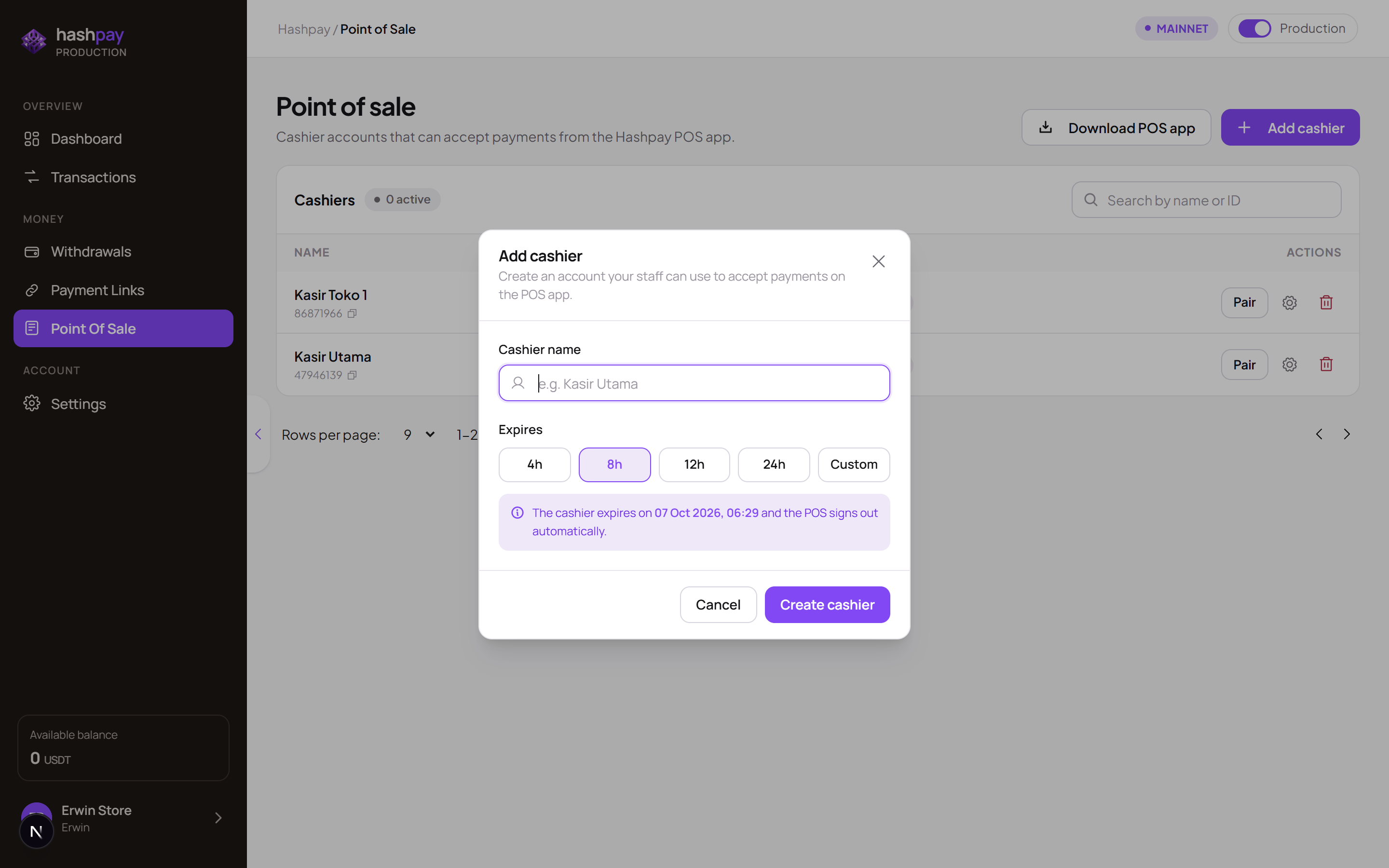
- Open Point of Sale Menu — From the merchant web dashboard, navigate to Point of Sale (
/point-of-sale). - Click '+ Add cashier' — Open the creation modal.
- Enter Station Name — Assign an easily identifiable label matching your physical register location or shift schedule.
- Select Shift Duration Preset — Choose 4 hours, 8 hours, 12 hours, 24 hours, or enter a Custom duration (e.g., 7 days or 30 days for permanent dedicated counter terminals).
- Create Cashier — Click Create cashier. The pairing credentials modal will launch immediately.
Pairing credentials (QR code & 8-character token)
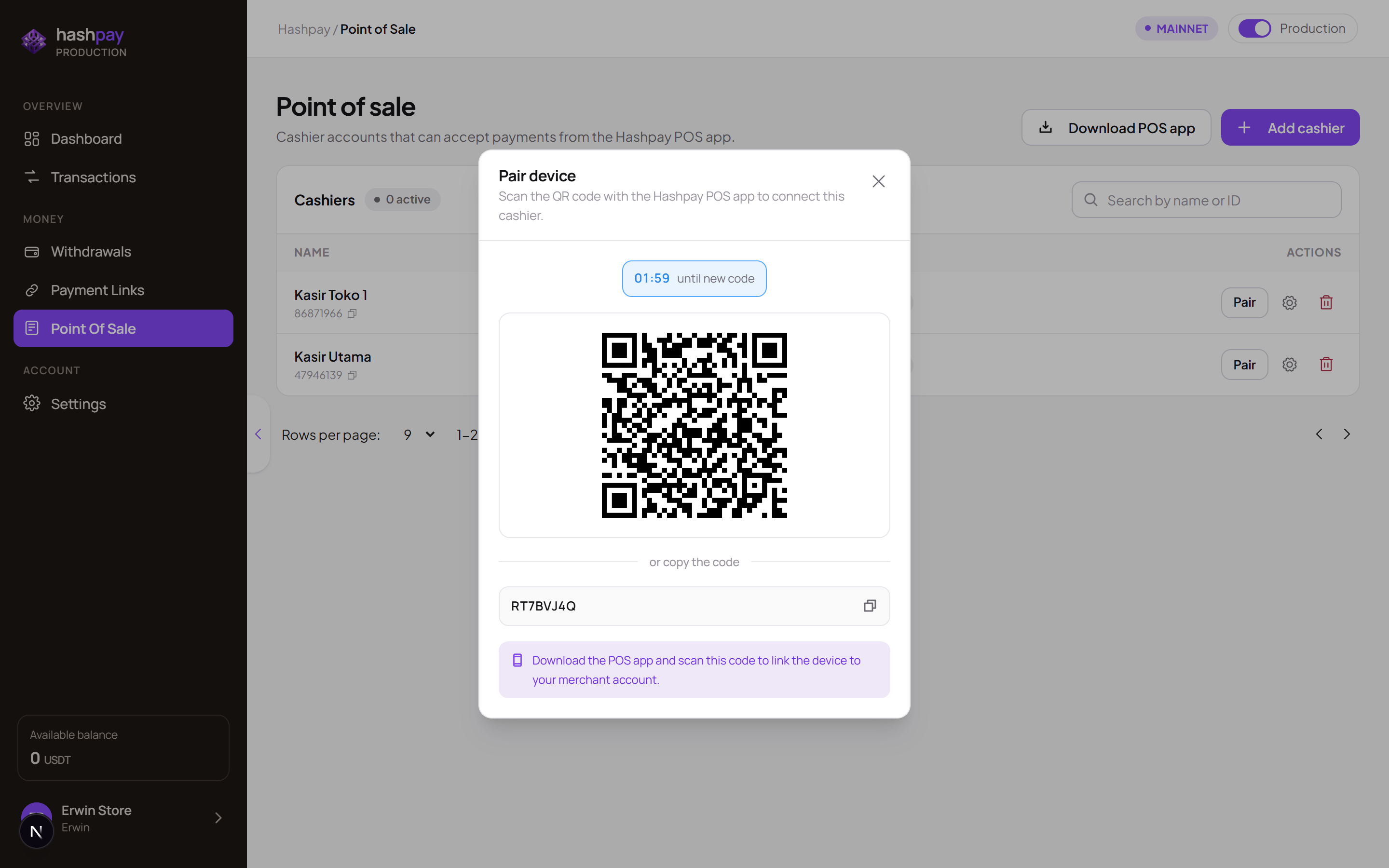
The pairing modal displays two flexible methods to connect an Android EDC terminal or phone to the assigned station:
- Scannable QR Code — Fastest method (5 seconds). Point the POS camera at the screen to authenticate instantly.
- 8-Character Manual Code — Uppercase alphanumeric code (e.g.,
OYA8DZCT) designed for remote setup or terminals without autofocus cameras. - 120-Second (2-Minute) Countdown TTL — The pairing token expires after 120 seconds to prevent pairing hijack attacks. If expired, simply click Refresh Code to generate a new one.
- Single-Use Security Guarantee — Once successfully paired, the token self-destructs and cannot be reused on unauthorized secondary devices.