
Keypad & Two-Way Amount Input
The cashier's primary sales workstation. Input order totals in Rupiah or directly in Crypto with real-time currency conversion, dual-mode swapping, and quick zero buttons.
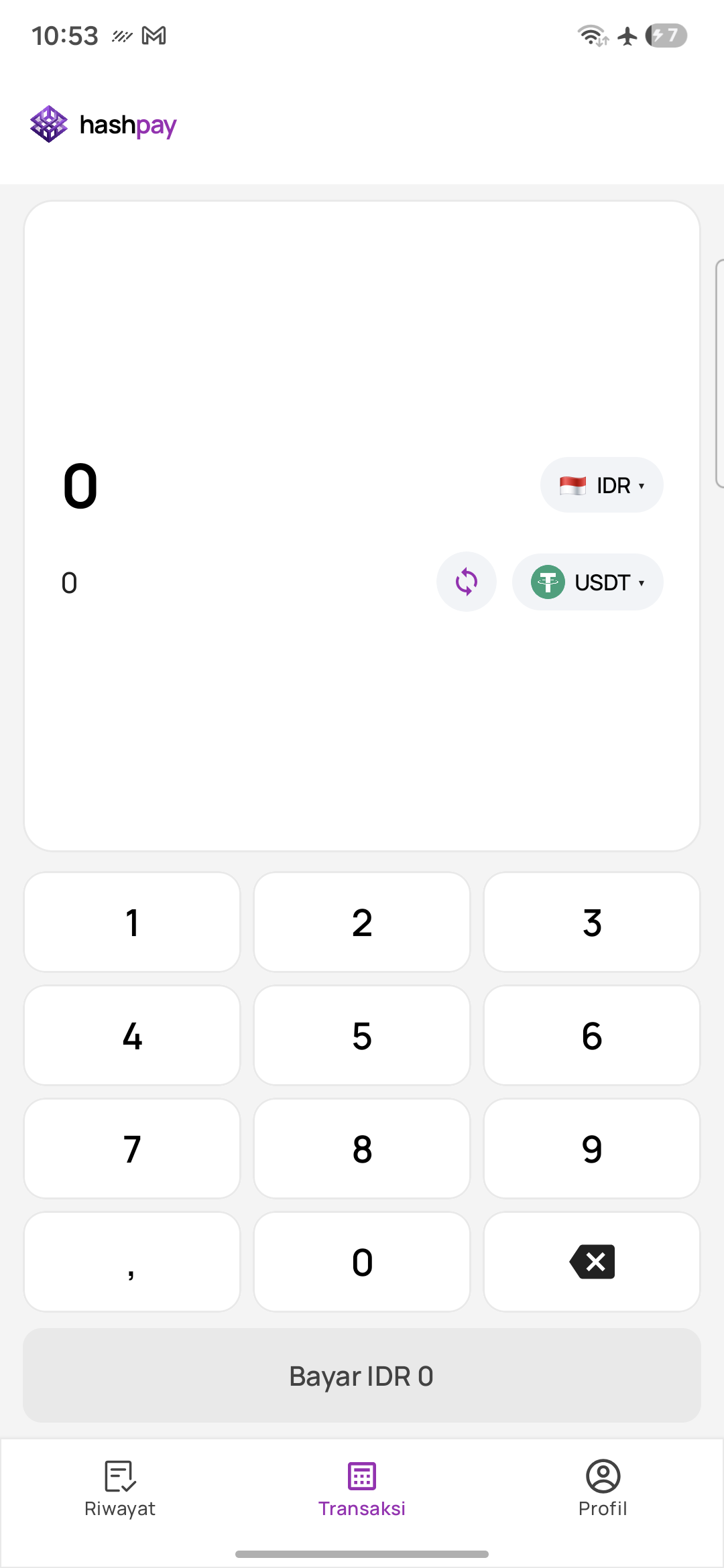
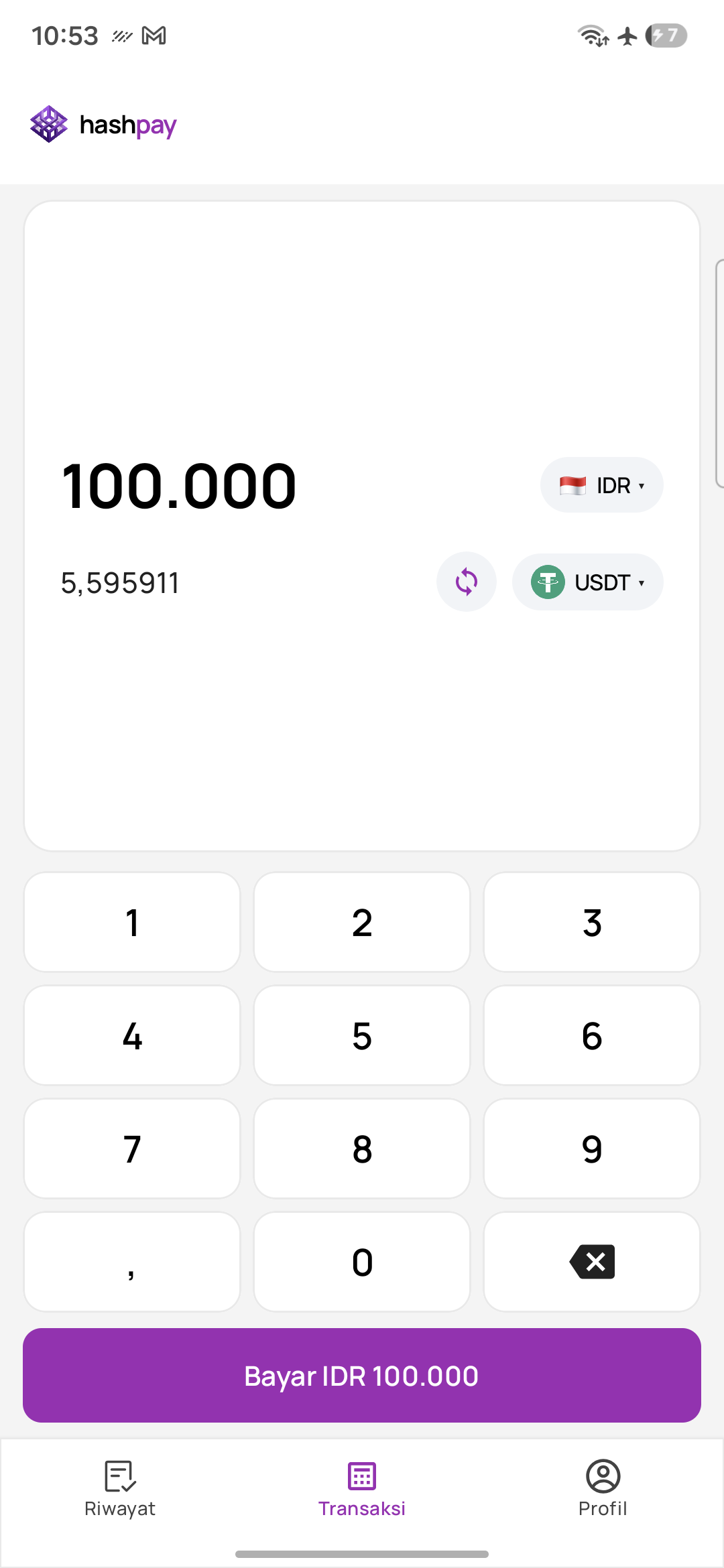
Two-way input mode (Fiat & Crypto)
Hashpay POS features a revolutionary Two-Way Input Display. Depending on how your customer wants to transact, you can bill them in fiat currency or directly in stablecoins:
- Fiat Mode (Default) — Type the bill in Indonesian Rupiah (e.g.
100.000). The terminal automatically computes and displays the real-time crypto equivalent below (e.g.~5.595911 USDT). - Crypto Mode — If a customer asks to pay an exact crypto sum (e.g.
50 USDT), tap the Swap Button (⇄). The keypad now inputs crypto numbers, and the terminal calculates the corresponding Rupiah value below. - Currency Pill Dropdown — Switch between IDR 🇮🇩 and USD 🇺🇸 in fiat mode, or between USDT and USDC in crypto mode.
Numpad controls & quick-entry shortcuts
| Button / Element | Function | Operational Benefit |
|---|---|---|
| Digits 0 to 9 | Enter numeric values | Standard responsive touch numpad. |
| Comma ',' | Decimal separator | Used for entering fractional amounts when billing in Crypto or USD. |
| Backspace '⌫' | Deletes the last digit | Corrects typos quickly without having to clear the entire screen. |
| Dynamic 'Bayar' Button | Initiates customer checkout | Activates in purple as soon as an amount > 0 is typed (e.g. *'Bayar IDR 100.000'*). |
Bottom navigation bar
The bottom navigation bar provides persistent one-tap access across the entire cashier application:
- History (Riwayat) — View the transaction ledger, search by Order ID, filter statuses, and reprint customer receipts.
- Transaction (Transaksi) — The active sales keypad (highlighted in purple).
- Profile (Profil) — Check cashier shift duration, review business details, change language, or log out to close your shift.