
Customer Checkout Experience
A detailed walkthrough of what your customers see and experience when paying via Hashpay hosted checkouts, payment links, or cashier QR codes.
The four simple steps for customers
The Hashpay checkout interface is designed for zero confusion, guiding customers through token selection, network choices, and QR scanning in under 30 seconds:
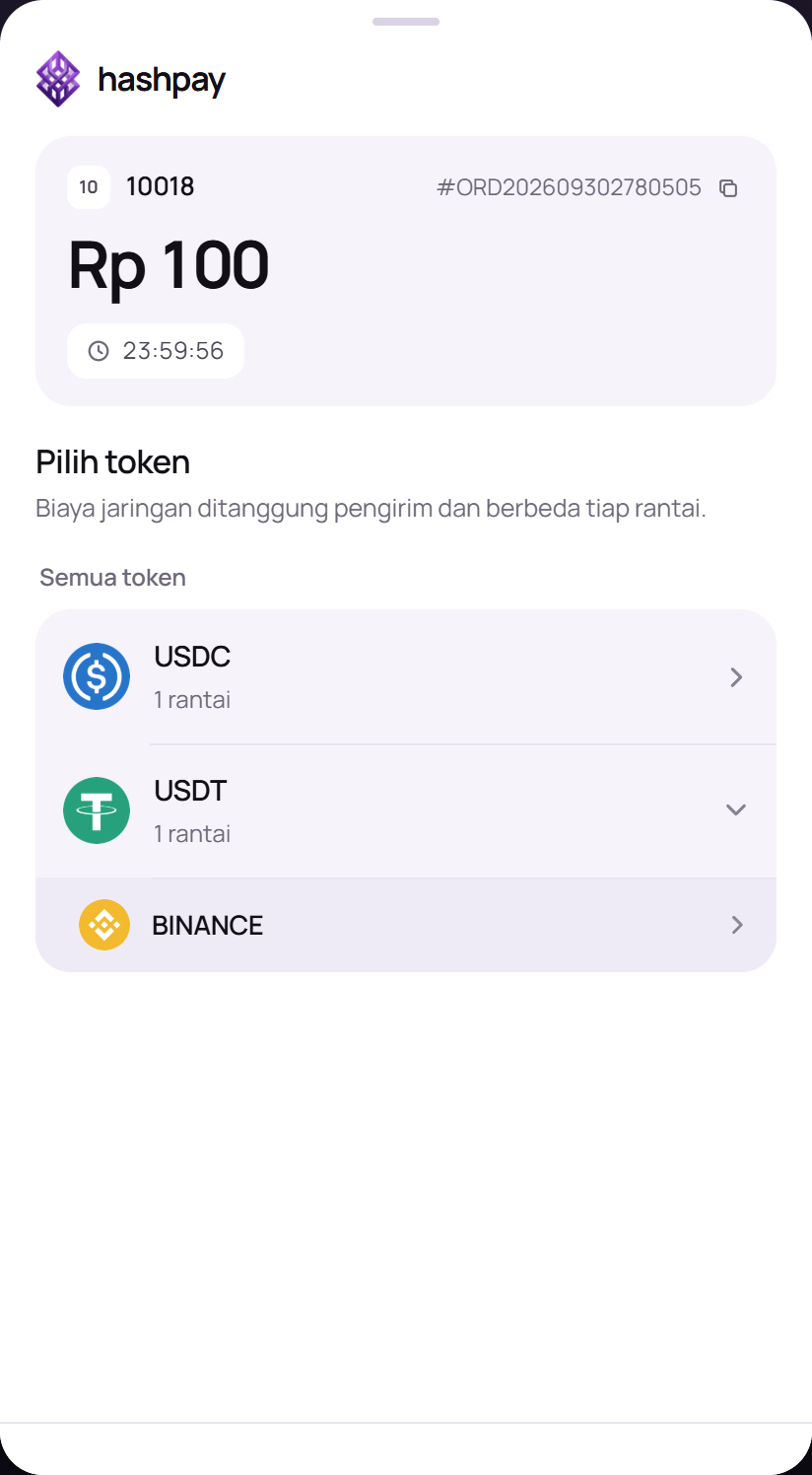
- Order Review & Token Choice — The customer opens the payment link or looks at the cashier screen. They verify the store name, order ID, and IDR total, then select their preferred stablecoin (USDT or USDC).
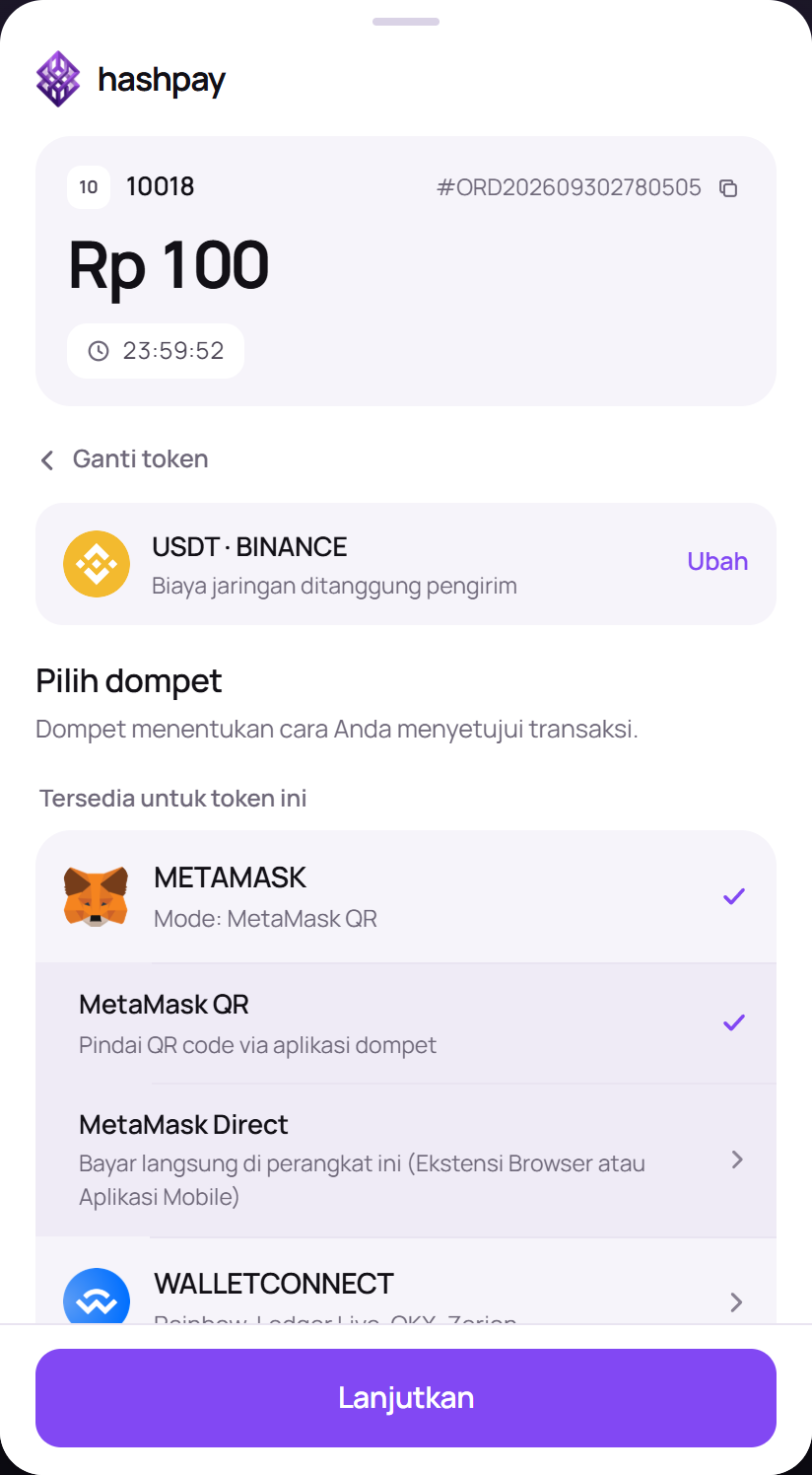
- Blockchain Network Selection — The customer chooses the blockchain network where they hold funds (e.g., BNB Smart Chain, Tron, Solana, or Ethereum). Networks like BNB Chain and Tron are highlighted for near-zero gas fees.
- Wallet Option (Mobile QR or Browser Extension) — The customer chooses their wallet method. On mobile, tapping their wallet opens the app directly; on desktop, they can scan the QR with any wallet or connect via MetaMask extension.
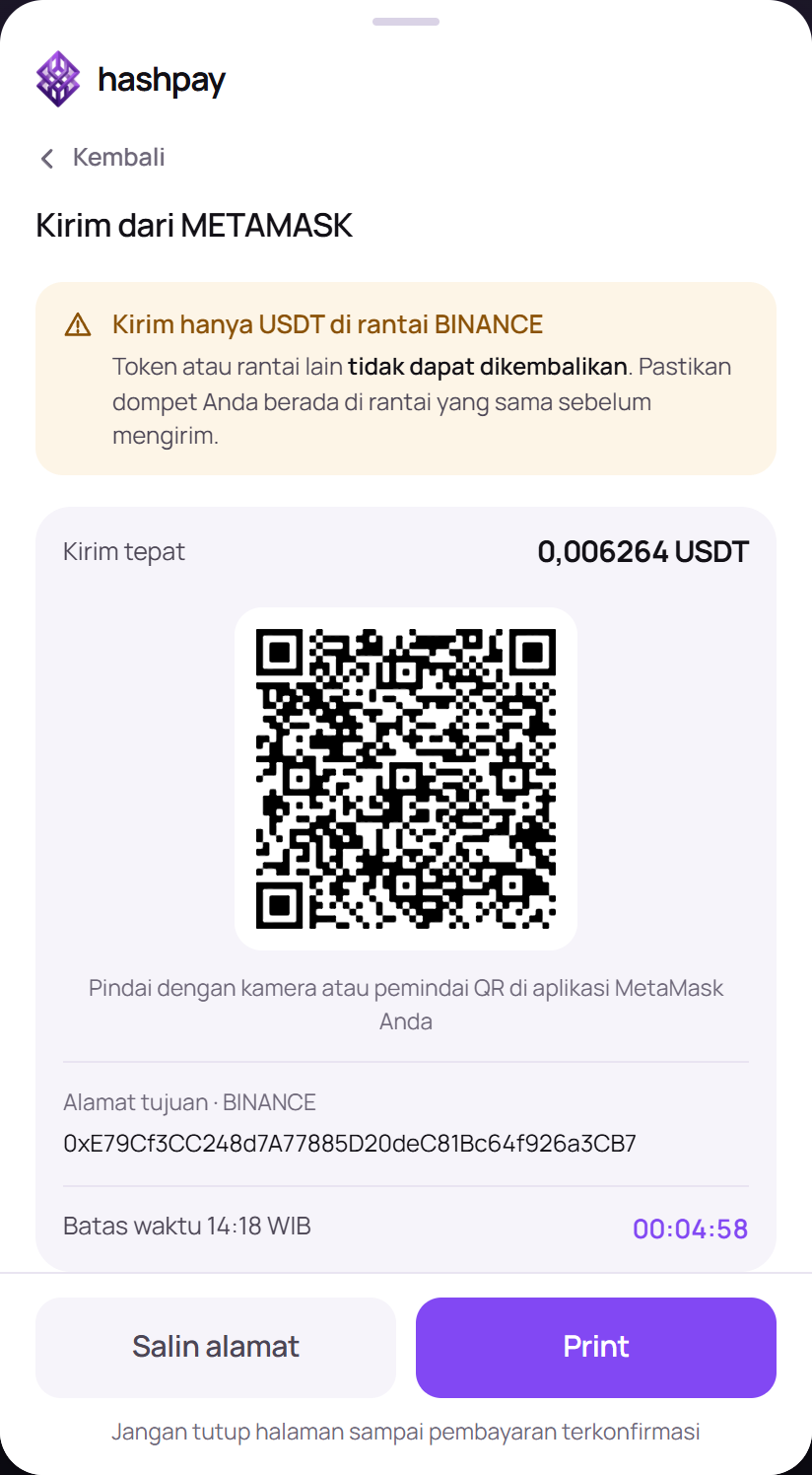
- Scan QR Code & Confirm Payment — An EIP-681 standard QR code is displayed alongside the exact deposit address and a 15-minute price lock countdown. The customer scans and taps 'Confirm' in their wallet.
Core guarantees of the checkout screen
- Exact Amount Calculation — The exact token quantity is calculated from live exchange rates and locked for 15 minutes, protecting both buyer and seller from crypto market volatility.
- EIP-681 Standard QR Codes — When scanned, the QR code automatically populates the smart contract address, recipient wallet, and exact amount in the customer's wallet app, eliminating manual typing mistakes.
- Real-Time On-Chain Detection — Hashpay's node infrastructure watches blockchain mempools in real time. As soon as the transfer is broadcast, the checkout screen automatically transitions to a green 'Payment Successful' screen without manual refreshing.
Cashier Counter FAQ (Handling customer questions)
- 'How long does the payment take?' — On BNB Chain, Tron, and Solana, transfers confirm within 2 to 5 seconds. On Ethereum, confirmation typically takes 15 to 30 seconds.
- 'What happens if the 15-minute countdown expires?' — If the customer has not transferred, the rate unlocks. The customer can simply tap 'Refresh Rate' to generate a fresh 15-minute payment window.
- 'Can customers pay from international wallets?' — Yes! Hashpay accepts standard stablecoins from any self-custodial wallet worldwide (Trust Wallet, MetaMask, Phantom, Coinbase Wallet, Ledger, etc.).