
Transactions Ledger & Auditing
A comprehensive, audit-ready financial ledger of every incoming customer payment, complete with blockchain explorer verification and accounting export tools.
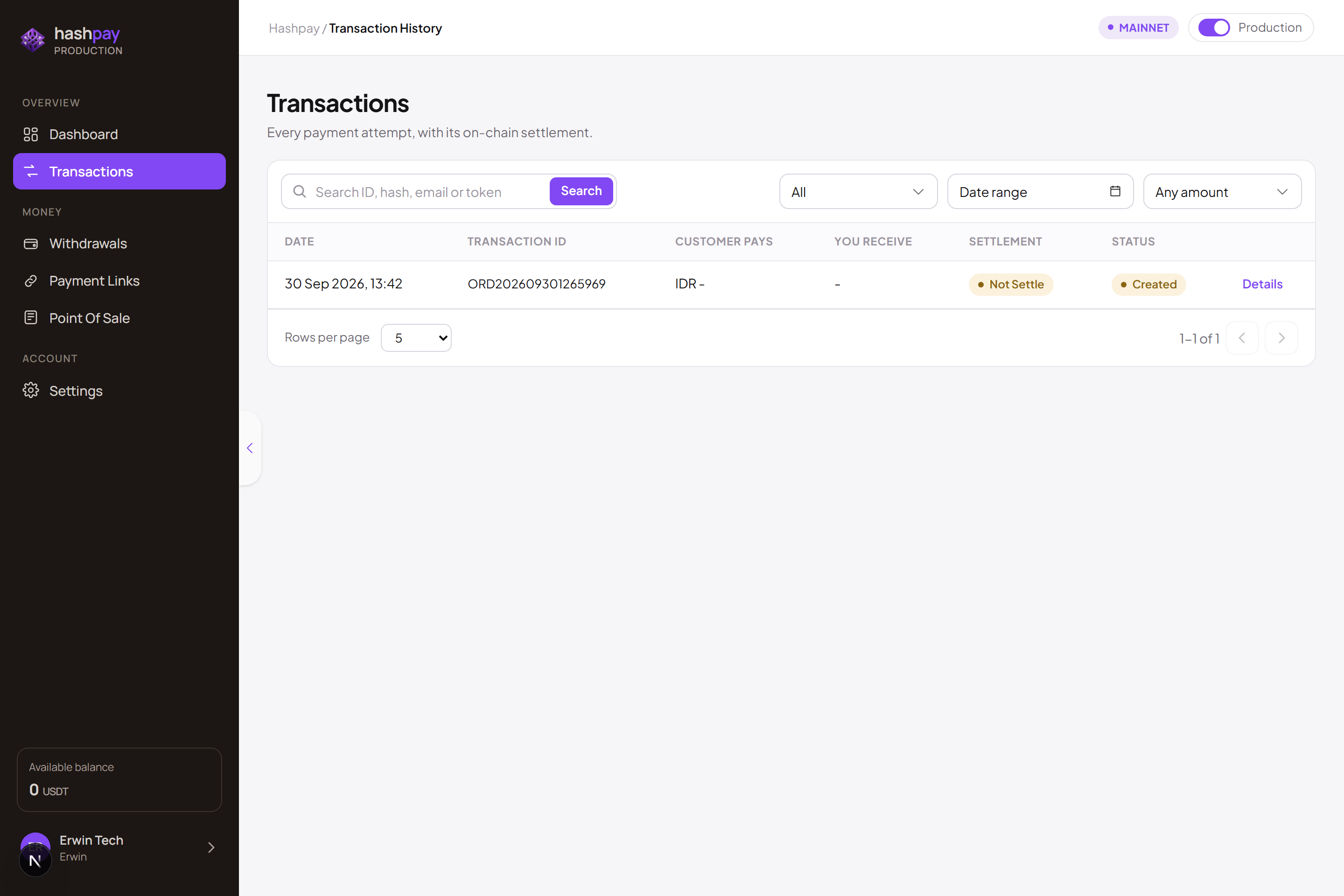
Understanding the transaction ledger columns
Every customer payment processed across your physical POS registers, online payment links, or web checkouts is recorded immutably in this ledger:
- Transaction / Order ID — Unique commercial identifier (e.g.,
ORD-20261022-8491) used for customer inquiries and receipt reconciliation. - Date & Time — Microsecond-accurate timestamp recording both payment initiation and final blockchain settlement.
- Payment Method & Asset — The customer's selected wallet (Trust Wallet, MetaMask, Phantom) and stablecoin asset (USDT or USDC on BNB Chain, Tron, Ethereum, or Solana).
- IDR Amount & Crypto Received — The exact invoice charge in Indonesian Rupiah and the exact quantity of digital tokens received.
- Status Badge — Real-time transaction state color-coded for quick visual auditing.
Complete transaction status dictionary
| Status | Meaning & State | Action for Merchant Staff |
|---|---|---|
| PAID / SUCCESS | The customer transferred the exact required crypto amount and the transaction is fully confirmed on-chain. | Transaction finalized. Fulfill the order, release goods, or issue the official purchase receipt. |
| PENDING | The order invoice was opened, but the customer has not yet transferred or the transfer is awaiting blockchain block confirmation. | Allow the customer up to 15 minutes to authorize the transfer from their mobile wallet. |
| UNDERPAID | The customer sent less crypto than the locked invoice total (commonly caused when customers withdraw from exchanges that deduct gas fees from the amount). | The system flags the shortfall. Contact the customer to transfer the remaining balance or issue a refund via support. |
| OVERPAID | The customer sent more crypto than required. The invoice marks Paid and the surplus is safely credited to your merchant balance. | Fulfill order normally. Merchant retains surplus or can refund excess to customer if requested. |
| EXPIRED | The 15-minute price lock window elapsed before payment was detected on-chain. | The invoice is closed. If the customer still wants to purchase, generate a fresh invoice with current live rates. |
Verifying blockchain transactions (TxHash)
Whenever a customer requests cryptographic proof of payment or your finance team conducts an audit, click any transaction row to open the Detail Drawer. Click the View on Blockchain Explorer link to inspect the public ledger (BscScan, Tronscan, Etherscan, or Solscan) verifying:
- The sender's wallet address.
- The unique one-time deposit address assigned to this order.
- The exact block height and confirmation timestamp.
- The cryptographic Transaction Hash (TxHash).
Search, filter & accounting exports
- Quick Search — Search instantly by Order ID, customer name, destination wallet, or blockchain TxHash.
- Date Range Filter — Filter by specific days, months, or custom financial quarters.
- Export to CSV / Excel — Click Export to download a structured spreadsheet containing complete transaction timestamps, exchange rates, fee deductions, and net received amounts for monthly corporate bookkeeping and tax filing.