
Dashboard Overview & Monitoring
A real-time financial control center for tracking store sales performance, available cash balance, recent transaction ledgers, and cashier terminal health.
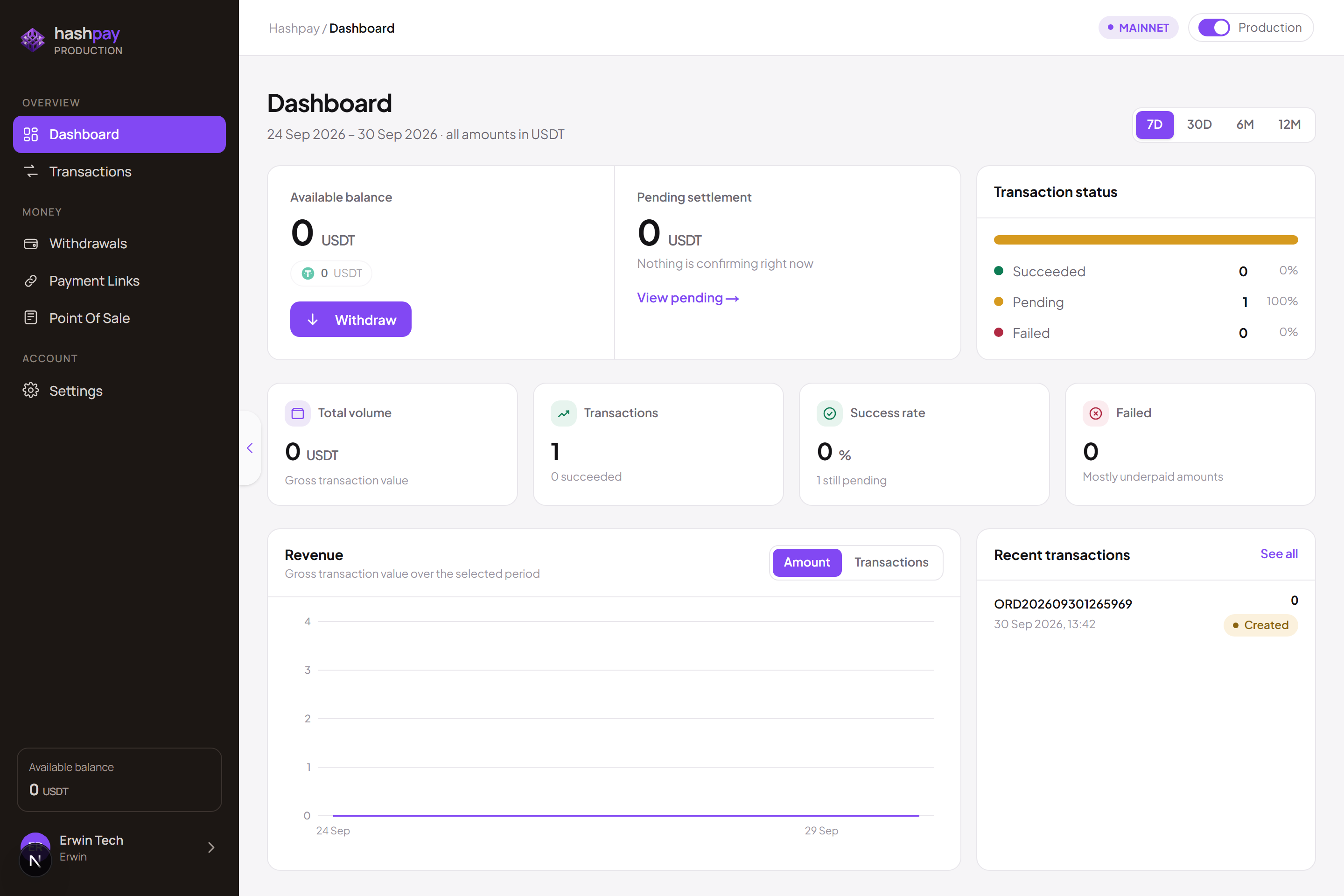
Four key financial metric cards
At the top of your dashboard, four real-time summary cards provide immediate visibility into your store's financial liquidity and transaction health:
- Available Balance (Saldo Tersedia) — The total amount of fully confirmed, settled funds ready for immediate disbursement (quoted in USDT and estimated IDR). Click the prominent Withdraw button on this card to initiate a bank or crypto payout.
- Pending Settlement (Menunggu Kliring) — Customer payments that have been detected on the blockchain and marked successful, but are awaiting additional block confirmations (typically 1 to 3 minutes) before becoming fully spendable.
- Transaction Success Ratio — Visual circular indicator comparing Completed payments against Expired or Underpaid attempts, helping identify customer checkout drop-offs.
- Gross Sales Performance — Aggregated gross revenue, total transaction counts, and average customer spend over your selected reporting window.
Interactive sales analytics & charts
Analyze sales patterns to optimize store operating hours, inventory levels, and staffing:
- Time Period Filtering — Switch between Today, 7 Days, 30 Days, 6 Months, or 12 Months to analyze short-term velocity versus long-term seasonal growth.
- Revenue vs. Transaction Toggle — Toggle between total monetary volume (in IDR or USDT) and overall transaction count to observe whether sales growth is driven by order frequency or higher ticket sizes.
- Environment Indicator Badge — Located in the top header, this clearly indicates whether you are managing live real-money operations (Production) or simulating test transactions (Sandbox).
Live recent transactions ticker
The bottom half of the dashboard displays a live ticker of incoming customer payments updating automatically without page refreshes. Each row displays:
- Order ID & Channel — Unique tracking number and origin channel (POS Terminal, Payment Link, or Web Checkout).
- Timestamp — Exact date and second of payment confirmation.
- Amount Paid — The Rupiah invoice amount alongside the exact crypto amount (e.g.,
Rp 250.000/15.34 USDT). - Status Badge — Clear status pill (Paid, Pending, Underpaid, or Expired). Clicking any row opens the full transaction detail drawer.