
Merchant Registration
Create a registered merchant account for your enterprise, store chain, or individual business to start accepting stablecoins with automated IDR bank settlements.
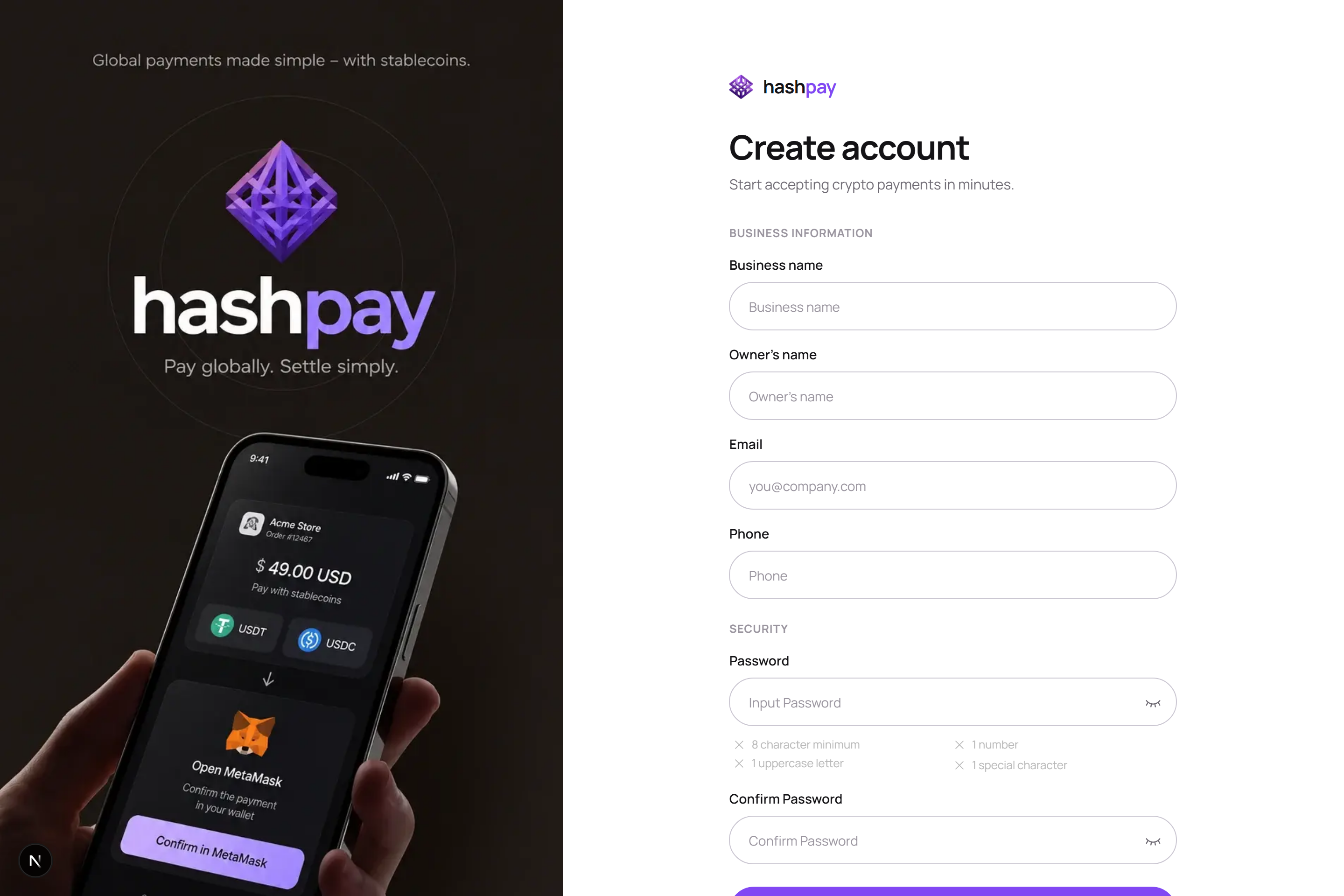
Who can register as a merchant?
Hashpay supports a wide range of commercial entities, from individual sole proprietors (UMKM) to registered corporations (PT, CV, Foundations, and Cooperatives). Anyone who sells physical goods, digital products, hospitality services, or professional consulting can register.
Required registration information
- Business Name (Brand Name) — The commercial trading name of your business (e.g., *'Kopi Senja Nusantara'* or *'PT Maju Retail Gemilang'*). This brand name appears directly on your customers' payment screens, WhatsApp invoice titles, and printed POS cashier receipts.
- Owner / Representative Full Name — The legal name of the business owner, director, or authorized manager legally responsible for the account.
- Official Business Email — A corporate or active email address. This will serve as your primary username, receive daily settlement statements, and receive security recovery links.
- Active WhatsApp Number — A verified mobile number used by our compliance team for account activation confirmation, critical transaction alerts, and customer support coordination.
- Password & Confirmation — Must be at least 8 characters long, containing a combination of uppercase letters, lowercase letters, numbers, and special symbols for maximum account protection.
Step-by-step registration procedure
- Open Registration Form — Visit
https://dashboard.hashpay.id/registeror click Create account from the sign-in page. - Fill in Business Details — Accurately complete all fields with your legitimate business contact details.
- Check Password Strength — Observe the dynamic password strength indicator. Ensure all four security criteria turn green.
- Agree to Terms of Service — Review Hashpay's Merchant Service Agreement, Privacy Policy, and Anti-Money Laundering (AML) compliance declaration, then check the agreement box.
- Submit Registration — Click Create account. The system generates your merchant tenant and sends an instant verification email to your registered inbox.